
Use AI at work. No coding needed.
Less busywork. More of the work you chose your job for. Learn to tell your AI exactly what you need, with examples for your everyday work.
No prior knowledge. No credit card. Free, no account needed. The whole course costs €49 once, incl. VAT, and nothing renews by itself.
Everyone’s talking about AI. But where do you start?
Paperwork eats up your day.
Emails, quotes, notices, reports. It has to get done, but it keeps you from the work you care about.
AI is already here.
It’s already built into many apps you know: email, word processing, your phone. Chances are, nobody has shown you how to use it well.
You don’t have to be a tech person.
When you tell the AI clearly what you need, you get results you can use. You learn that step by step.
That leaves you more time for what you like about your job.

Sound like your day?
Three moments from a working day, and how AI can help.
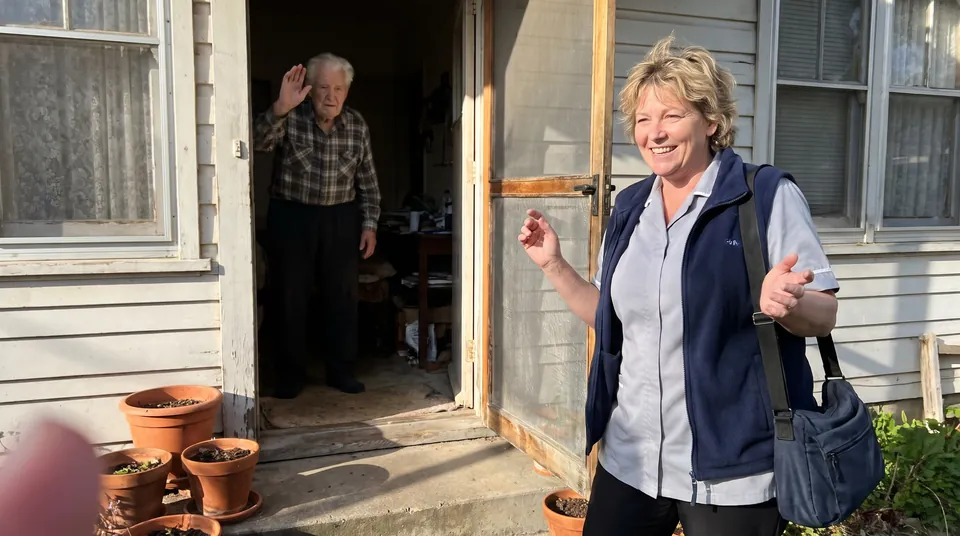
Home care
Families keep asking what to watch out for in the heat.
With AI: The AI drafts a handout in plain language. You check it and leave a copy with the family.

Heating and plumbing
A customer can’t make sense of the manual for her new heat pump.
With AI: The AI puts it into everyday words. You check it and add what only you know about the system.
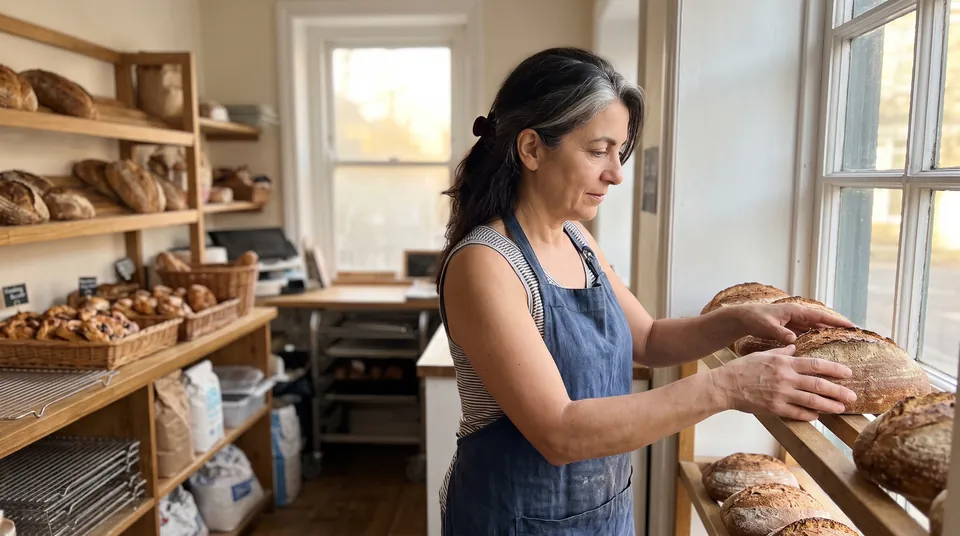
Your own shop
You want a sign in the window for the weekend, and the words won’t come.
With AI: The AI suggests three short texts. You pick one and adjust it.


What changes for you
What you end up with is something ready to use.
A quote you only need to check
You give the AI the key details and get a clean draft instead of starting from scratch in the evening.
A letter to parents in plain words
Short and written so every parent understands it.
A friendly reply to an inquiry
The AI writes in the tone you give it. You read it over and send it.
Behind each of these is the same skill: telling the AI exactly what you need. We call that text an instruction. You can learn to write good ones, no tech background required.
AI lessons for 179 jobs
Choose your field. Even the trial lesson shows you examples from your working day.


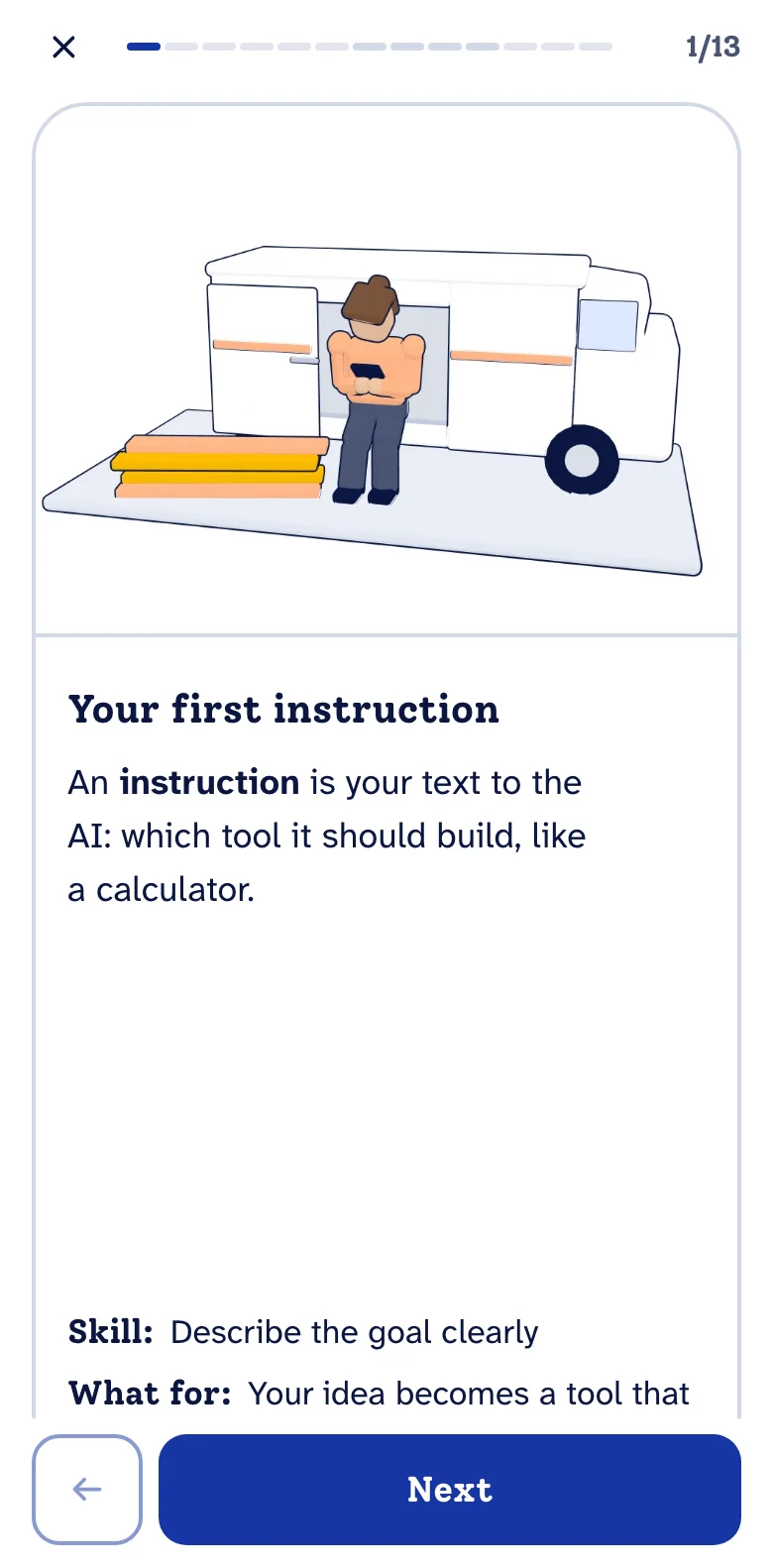
How you learn it
No prior knowledge, at your own pace. A few minutes a day are enough to start.
Step 1: Short bites, on your phone too
A bite is a short lesson of 4–6 minutes. You tap, swipe and sort instead of reading long texts.
Step 2: With ideas from your job
You pick your job. The trial lesson shows you examples from it, and the course adds comparisons from your field.
Step 3: Practice in your own AI
You try what you learn right away in an AI of your choice, such as ChatGPT or Microsoft Copilot. Many have a free version.
The course in numbers
- bites in 26 modules
- 168
- per bite
- 4–6 min
- quiz questions to review
- 691
- instructions to copy
- 294
The same case, two instructions
We gave an AI the same task twice: once asked vaguely, once with everything it needs to know. Both answers are exactly what the AI wrote.
Said vaguely
Write a message to the customer about the canceled fitting, but politely.
Dear customer, thank you for your patience. Unfortunately, we have to cancel your fitting appointment. We are sorry for any inconvenience this may cause. We would be happy to offer you a new date as soon as possible. Please reply to this message or give us a call, and we will find a time that suits you. Thank you for your understanding. Kind regards, Your team
AI-generated answer · claude-haiku-5-5, Nov 6, 2026
Said precisely
Calm cancellation message, polite, no blame. Fitting on Thursday 12 June canceled by the customer with 2 days notice. New date offered: Monday 23 June, 8 am. Ask to confirm by Friday 13 June. Give our office number for questions.
Dear customer, thank you for letting us know that your fitting on Thursday, 12 June has to be canceled. We understand that plans can change at short notice, and we are glad you told us. We would be pleased to offer you a new date: Monday, 23 June, at 8 am. Please confirm by Friday, 13 June, whether this suits you, so that we can reserve the time for you. If you have any questions, please call our office. We are happy to help. Kind regards, Your team
AI-generated answer · claude-haiku-5-5, Nov 6, 2026
The difference: The weak instruction gives no date, time or deadline, so the AI only offers a new date “as soon as possible” and leaves the customer without a clear step. The good one names Monday 23 June at 8 am and a confirmation by Friday 13 June, which the answer carries over exactly.
Said vaguely
Write a message asking for the money, but keep it polite.
Dear [Name], I hope you are doing well. I am writing to kindly ask about the payment of [amount], which was due on [date]. I know things can get busy, so I wanted to check in and see whether you could let me know when the payment will be made. If there is any issue or you would like to discuss a different arrangement, please let me know and we can find a solution together. Thank you for your attention to this matter. I appreciate your help. Kind regards, [Your name]
AI-generated answer · claude-haiku-5-5, Nov 6, 2026
Said precisely
Friendly reminder, professional tone, no blame. Invoice 2847 of 3 March for 1,240 euros, 21 days overdue. New deadline in 14 days. Next step: reply to this email with the payment date or book a call. No threats.
Subject: Friendly reminder: invoice 2847 Dear Sir or Madam, I hope you are well. This is a friendly reminder that invoice 2847, dated 3 March, for 1,240 euros, is now 21 days past its due date. It may simply have slipped through, so I wanted to bring it to your attention. Could you please arrange payment by [new deadline date], which is 14 days from today? If that is not possible, or if you have any questions about the invoice, just reply to this email with an expected payment date, or let me know a convenient time for a short call and I will be glad to arrange one. Thank you for your attention to this matter. I appreciate your prompt response. Kind regards, [Your name] [Your company]
AI-generated answer · claude-haiku-5-5, Nov 6, 2026
The difference: The weak instruction leaves the amount and date open, so the AI writes placeholders and a vague check-in. The good one names invoice 2847, 1,240 euros, 21 days overdue and a 14-day deadline, so the reminder is concrete and ends with a clear next step.
Said vaguely
Send the agency a message that they are too late, but keep it polite.
Dear [Agency name], thank you for your work on this project and for your patience with us. Unfortunately, we have to let you know that we received your proposal too late, and we are no longer able to take it into account. We appreciate the effort you put in and hope we can work together again in the future. Kind regards, [Your name] [Your company]
AI-generated answer · claude-haiku-5-5, Nov 6, 2026
Said precisely
Factual message to the agency, no blame. Summer campaign briefed for 3 June, now 10 days late; 12 banner visuals still missing. Ask for a firm delivery date by Thursday 17:00 and a 20-minute call. Mention 2,500 euros of paid media at risk. No threats.
Subject: Summer campaign – 12 banner visuals outstanding Dear [Agency contact], I am writing about the summer campaign. The briefing took place on 3 June, and the delivery date for the banner visuals has now passed by 10 days. To date, 12 banner visuals are still outstanding. The paid media budget for this campaign is 2,500 euros. Booking and launch dates depend on receiving the visuals, so this amount is currently at risk of not being used as planned. Could you please confirm a firm delivery date for all 12 banner visuals by Thursday, 17:00? I would also like to schedule a 20-minute call to align on the remaining steps. Please let me know a few suitable time slots. Thank you for your help in getting this back on track. Kind regards, [Your name] [Your company]
AI-generated answer · claude-haiku-5-5, Nov 6, 2026
The difference: The weak instruction leaves the problem vague, so the AI only says the proposal came too late and offers no way forward. The good one names the 10-day delay, the 12 visuals, the Thursday 17:00 deadline and the call, which the answer uses directly.
Said vaguely
Write a message to the family, but keep it polite.
Dear family, I hope you are all doing well. I wanted to reach out and share a few thoughts with you, and I hope you will take them in the spirit they are meant: with warmth and respect for each of you. Thank you for everything you do for one another. I truly appreciate your support, your patience and the time you make for each other. If anything has been on your mind, I would be glad to talk it through together at a time that suits everyone. With love and best wishes,
AI-generated answer · claude-haiku-5-5, Nov 6, 2026
Said precisely
Calm, polite tone, no blame. Missed dressing changes on 3, 5 and 8 March at the home visit. Please book a new visit by 14 March at the ward phone line. Call us if the wound changes before then.
Dear colleagues, I am writing to let you know that the dressing changes scheduled for 3, 5 and 8 March at the home visit did not take place. I am sure there was a good reason, and I would simply like to get things back on track. Please book a new home visit for the dressing change by 14 March. You can do this by calling the ward phone line. In the meantime, if the wound changes in any way before then, such as increased redness, swelling, discharge or pain, please call us straight away on the ward phone line. Thank you for your help. We look forward to hearing from you. Kind regards, Ward team
AI-generated answer · claude-haiku-5-5, Nov 6, 2026
The difference: The weak instruction only says to stay polite, so the AI writes vague warmth with no facts or next step. The good one lists the missed dressing changes, the 14 March deadline and the ward phone line, which the answer uses directly.
Said vaguely
Write a reply to the cancellation, but keep it polite and clear.
Dear Customer, thank you for letting us know that you wish to cancel. We have received your request and have processed the cancellation. Please allow a few working days for any confirmation or refund to appear on your account, depending on your payment method. We are sorry to see you go. If there was anything that led to your decision, we would welcome your feedback, as it helps us improve. Should you change your mind in the future, we will be glad to welcome you back. If you have any questions in the meantime, please do not hesitate to contact us. Kind regards, Customer Service Team
AI-generated answer · claude-haiku-5-5, Nov 6, 2026
Said precisely
Polite cancellation reply, warm and brief, no blame. Appointment of Monday 9 June, 10:15, canceled at 8 am. Offer two new slots within 7 days, for example 11 June or 13 June. Ask for confirmation by Friday 6 June and give our office number.
Dear customer, Thank you for letting us know. We have canceled your appointment on Monday 9 June at 10:15, which you informed us of at 8 am today, and we understand that plans can change. We would be happy to see you again soon. We have two openings within the next 7 days: Wednesday 11 June or Friday 13 June. Please let us know which one suits you best, or tell us if another time would work better. Could you kindly confirm your new appointment by Friday 6 June? You can reach our office at [office number]. Warm regards, Your team
AI-generated answer · claude-haiku-5-5, Nov 6, 2026
The difference: The weak instruction leaves out dates and slots, so the AI writes generic lines like “a few working days” and “the future”. The good one names 9 June at 10:15, two openings and a deadline of 6 June, so the reply is concrete.
Said vaguely
Write a message to the parents about the money, but kindly.
Dear parents, I hope you are all doing well. I am writing about the school money, such as trip payments, class fees or other contributions that are still outstanding. I know that money can be tight for many families and that things do not always go to plan, so please do not feel any pressure or embarrassment. If you have already paid, thank you very much. If not, could you please pay when you are able, or let me know if you would like to talk about a different arrangement? Our office is happy to help find a solution that works for your family. Please contact the school office if you have any questions or would like to discuss this. We are grateful for your support and appreciate your understanding. Warm regards, [Your name] [Class teacher, school name]
AI-generated answer · claude-haiku-5-5, Nov 6, 2026
Said precisely
Friendly reminder, polite, no blame. Trip to Lake Constance on 12 June, fee 38 euros, due by 20 May. Reply slip and account number attached. Cash payment possible at the office on 16 May. End with my email for questions.
Subject: Friendly reminder: Lake Constance trip on 12 June Dear parents and guardians, this is a friendly reminder about the school trip to Lake Constance on Thursday, 12 June. The trip fee is 38 euros, which we kindly ask you to pay by 20 May. Please find the reply slip and our account number attached. If it is easier for you, you can also pay in cash at the office on 16 May. If you have any questions, please feel free to write to me at [your email address]. Thank you very much for your support. We look forward to a great day at the lake! Kind regards, [Your name]
AI-generated answer · claude-haiku-5-5, Nov 6, 2026
The difference: The weak instruction leaves out the amount, deadline and next step, so the AI invents vague wording and a payment arrangement offer. The good instruction names 38 euros, 20 May and the reply slip, so the message is concrete and usable.
Said vaguely
Write a message to the customer, but keep it nice.
Dear customer, thank you for your patience and for choosing us. We truly appreciate your business and are always glad to help with any questions you may have. If there is anything we can do to make your experience better, please don't hesitate to let us know. We look forward to serving you again soon. Warm regards, Your team
AI-generated answer · claude-haiku-5-5, Nov 6, 2026
Said precisely
Friendly, plain tone, no blame. Order 2718 of boots, 129 euros, is five days late. New pickup date Friday 14 March, and a 10 percent discount on your next purchase. End with the shop phone number and opening hours for questions.
Dear customer, Thank you for your order 2718 for boots, 129 euros. We are sorry that it is five days late, and we know how inconvenient that is. Your order is now ready for pickup on Friday, 14 March. As a thank you for your patience, you will receive a 10 percent discount on your next purchase. If you have any questions, please call our shop. Our phone number is [shop phone number], and we are open [opening hours]. Kind regards, Your shop team
AI-generated answer · claude-haiku-5-5, Nov 6, 2026
The difference: The weak instruction names no order, date or next step, so the AI writes empty filler about patience and appreciation. The good one supplies order 2718, the Friday 14 March pickup and the 10 percent discount, so the message has real content.
Said vaguely
Write to the supplier about the late part, but politely.
Subject: Delay in delivery of part Dear supplier, I am writing to politely follow up on the part we ordered, which has not yet arrived by the agreed delivery date. I understand that delays can happen, and I appreciate the work you are doing to fulfill our order. Could you please let us know the current status of the delivery and an updated expected arrival date? If there is anything we can do on our side to help move things forward, such as confirming details or adjusting the delivery address, please tell us. Thank you for your help. I look forward to hearing from you. Kind regards, [Your name] [Your company] [Your phone number]
AI-generated answer · claude-haiku-5-5, Nov 6, 2026
Said precisely
Calm, formal message to supplier. Order 4471 for one drive belt, due 3 March, still not delivered. Ask for delivery by 12 March and a call to confirm by phone.
Subject: Order 4471 – Delayed Delivery, Request for Confirmation Dear Sir or Madam, I am writing regarding order 4471 for one drive belt, which was due for delivery on 3 March. To date, the item has not arrived. I would be grateful if you could arrange delivery by 12 March. Could you also please call me to confirm the revised delivery date, so that we can plan accordingly. Thank you for your attention to this matter. I look forward to your confirmation. Kind regards, [Your name] [Your company] [Your phone number]
AI-generated answer · claude-haiku-5-5, Nov 6, 2026
The difference: The weak instruction gives no order number, date or deadline, so the AI writes vague wording and asks for an unspecified update. The good one supplies order 4471, 3 March and 12 March, which the answer uses exactly.
Good to know
No prior knowledge
You start from zero. You never have to code.
No subscription
You pay once. Nothing renews by itself.
Free trial lesson, no account needed
Just try it. No email, no credit card.
Hosted in the EU
The app runs on a server in Finland, with no advertising cookies and no analytics services from other companies. For AI feedback, texts go to Anthropic in the US. More in the privacy policy.
Start for free, pay once
The trial lesson works without an account, the basics with a free account, both with no time limit. If the course helps you, you pay once.
Free: 35 of 168 bites, all the basics and the first bite of every module, with general examples.
Course
€49 once
- All 168 bites, and every new one
- Comparisons from your line of work in many bites
- Quiz with 691 review questions
- Cheat sheets for all 26 modules
- 294 instructions to copy
- AI feedback on your instructions for 12 months (daily and monthly limits)
One payment. Nothing renews automatically. After that the AI features end and you keep the course. Another 12 months currently cost €9.
Final prices including VAT. The price may vary by country; you’ll see it before you buy.
Common questions
Does this work for Marketing?
Yes. You learn to describe helpers for content plans, quotes and approvals to your AI. Anything that goes out, you still check yourself.
I’m not technical. Is this for me?
Yes. You don’t need any coding skills. You describe what you need in your own words. The AI drafts it, and you check it.
I hardly have any time. Will that work?
You choose your own daily goal: 2, 5 or 10 minutes. If you miss a day, that’s fine: there’s no streak to break.
Which AI do I need?
None for the trial lesson. To put your instruction to work, you use an AI you already have or one your company provides, such as ChatGPT, Claude or Microsoft Copilot. Many of them can be tried for free.
What happens to my data?
The app runs on servers in Finland, in the EU, and sets no cookies for advertising or tracking. For AI features, such as the evaluation of your instruction, your text goes to our AI provider Anthropic, which stores the data in the USA. What you copy into your own AI is processed by its provider. So please don’t enter names of customers, patients or colleagues. More in the privacy policy and the Notes on AI.

Try it with your own job.
The trial lesson takes 4 minutes. Free, no account needed.
Start the trial lesson