ChatGPT for beginners: your first ten tasks at work
Written with AI and checked against the sources by a second AI. As of November 16, 2026. More in the notes on AI.
You’ve hardly used ChatGPT so far and want to try it at work without embarrassing yourself or giving away data? Here is what to clarify before your first chat, how such a chat works, and ten tasks to practice with in your first weeks.
Key points
- First ask whether your employer allows ChatGPT or another AI, and with which account.
- In a personal account, check one setting: whether your chats are used for training.
- ChatGPT doesn’t know your workplace. Everything it needs to know goes into your instruction.
- Start with tasks where you can check the result well yourself.
- Leave out names, customer data and secrets, or replace them with placeholders.
Before you start
ChatGPT is an AI chat made by the company OpenAI: you write a message, and the AI answers with text. It runs in the browser and as an app on your phone. There is a free plan and paid plans for individuals and companies. For your first steps, the free one is enough.
Clarify three things before you type in your first work task:
- What does your employer allow? Some companies have their own AI or a company account, some ban personal accounts for work data. Ask your manager or IT.
- Which account? For company data, the account your company specifies is the one to use. In a personal account, you only work with texts that reveal nothing about people or secrets.
- Training off or on? In the personal plans, OpenAI uses your chats by default to improve its models. In the settings under “Data controls”, you switch off “Improve the model for everyone”.
For one-off questions there is also the Temporary Chat. It doesn’t appear in your history and isn’t used for training. OpenAI may still keep it for up to 30 days to check for abuse. So it isn’t a free pass for confidential data.
In the trial lesson you put your first instruction together and get feedback. No account, in a few minutes. Start the trial lesson
How a chat works
ChatGPT calculates which text most likely fits your message. It writes fluently and usually sensibly, but it knows nothing about your workplace, your customers or where a case stands. What it needs to know goes into the instruction, the text you give it.
You can picture ChatGPT as a new temp on their first day: quick, hard-working, friendly, but with no idea how things work at your place. If you only say “Write something to the customer”, they guess. If you say what should be in it, for whom and how long, the result becomes usable.
Three rules that save you a lot of trouble at the start:
- One topic, one chat. For a new task, open a new chat so that old material doesn’t slip in. If memory is on, something from earlier chats can still come along; the settings show you what is saved.
- Follow up instead of starting over. If the answer almost fits, write “shorter”, “friendlier” or “without the second paragraph”.
- You are the last stop. Whatever you pass on, you have read and checked.
Ten tasks for your first weeks
Good practice tasks have two qualities: you know the content well, and a mistake does no harm. That way you notice where the AI helps and where it gets things wrong.
| Task | Example | What to watch for |
|---|---|---|
| E-mail from bullet points | Appointment confirmation to a supplier | Dates, times, commitments |
| Shorten a text | Circular from one page down to five sentences | Whether anything important is missing |
| Explain a technical term | What is a risk assessment? | Compare with an official source |
| Put it more simply | Notice for customers without jargon | Whether the meaning stays the same |
| Summarize | Manufacturer information in five points | Spot check against the original |
| Build a checklist | What do I take to a customer appointment? | Is anything missing, based on your experience? |
| Prepare a conversation | Questions for the annual review with your manager | Do the questions fit you? |
| Collect ideas | Ten names for a spring promotion | Does the name already exist, for example as a trademark? |
| Explain a spreadsheet formula | A formula from a list you took over | Recalculate two rows by hand |
| Proofread | Your own letter to a customer | Whether the AI changed the content |
Three tasks in detail
A notice people understand
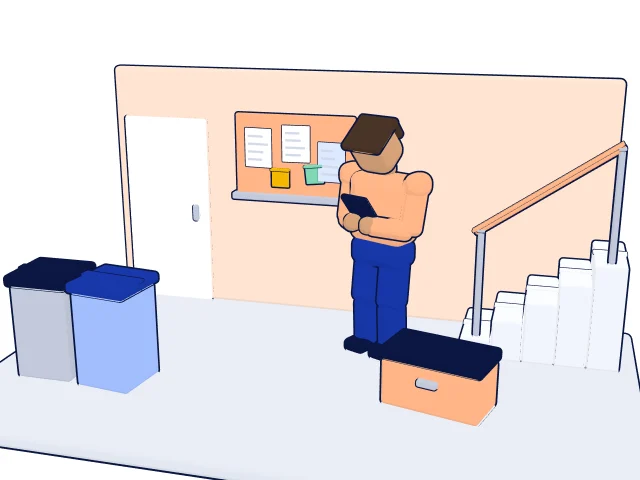
Walter is the building superintendent of a residential complex with four buildings. Starting next month, the trash cans will be emptied on a different day, and he needs a notice for all the stairwells. He gives the AI the facts and says who will read the notice.
Write a notice for the stairwells of a residential complex.
Content: Starting [date], the general waste bins will be emptied on Tuesday instead of Thursday. The bins must be out on the street by 7 a.m. Questions to the superintendent at [phone number].
Readers: tenants of all ages, some of whom read little English.
At most 60 words, short sentences, most important sentence first. No exclamation marks.
Walter reads the draft and compares the day and time with the letter from the city. He only adds the phone number in his word processor, not in the chat.
An explanation for customers
Tessa is a florist with her own shop. With every bouquet she includes a small card with care tips. She knows the tips herself; the AI is only supposed to phrase them briefly and kindly.
Turn my bullet points into a care card for a bouquet of cut flowers, at most 70 words.
Bullet points: cut the stems at an angle; clean vase; change the water every two days; not in direct sunlight and not next to the fruit bowl.
Tone: warm but matter-of-fact. Don’t add any tips of your own.
The last sentence matters. Without it, the AI might have added home remedies that Tessa doesn’t recommend to her customers.
Understanding a technical term
Jonah is training as a precision machinist and comes across a specification on a drawing that he doesn’t know. He has it explained and explicitly asks the AI to flag anything it is unsure about.
I am in the second year of my apprenticeship as a precision machinist.
Explain to me in at most 150 words what the specification [specification from the drawing] means and what I need to watch for when making the part.
If you are not sure about part of the explanation, say so.
At the end, tell me in which kind of reference work I can check this.
Jonah compares the answer with his machinist’s reference handbook and asks his trainer if the two don’t match. Here the AI is a first explanation, not a technical source.
What ChatGPT won’t do for you
An AI chat phrases things well. With some things, though, it is unreliable, and you can’t tell from the answer:
- Facts and figures: it can get dates, deadlines or prices wrong, or invent them.
- Sources: it sometimes names books, court rulings or links that don’t exist.
- Calculating in text: longer calculations in an answer can be wrong. Do the math yourself.
- Current events: without web search, it only knows the state of its training.
- Decisions: whether a quote goes out or a deadline has been met is your call.
How to check answers in a targeted way is covered in the guide Checking AI answers.
What doesn’t belong in the chat
The simplest rule for the start: only type in what a stranger could read without anyone being harmed. These don’t belong in it:
- Names, addresses, phone numbers and dates of birth of customers and colleagues
- Health information, sick notes, job applications and personnel files
- Passwords, login details and account numbers
- Prices, contracts and plans that your employer treats as confidential
Instead, write placeholders like [name] or [date] and only fill them in in your e-mail program. More on this, including company accounts, in the guide Data protection and AI tools.
Five mistakes almost everyone makes at the start
- Instruction too short. “Write an e-mail to the customer” produces a generic e-mail. Give the occasion, facts, tone and length.
- Taking the first answer as is. It is a draft. Read all of it before you use it.
- Everything in one chat. After ten topics, the AI mixes things up. New topic, new chat.
- Believing the AI because it sounds sure. A confident tone doesn’t mean it is right.
- Giving up after the first try. Often just one detail is missing. Ask yourself what a person would still need to know, and add it.
Which AI service fits your work, if ChatGPT isn’t allowed or doesn’t suit you, is compared in the guide Which AI is right for me?.
How to practice this
You learn fastest with real small tasks from your week, one after another. The learning app “KI können” is built exactly that way: write an instruction, produce the result in your own AI and check it with a checklist. The trial lesson shows you what that feels like in a few minutes, no account required.
Sources
- OpenAI Help Center, Data controls in ChatGPT (opens in a new tab)
- OpenAI Help Center, Temporary Chat FAQ (opens in a new tab)
- OpenAI Help Center, ChatGPT Free Tier FAQ (opens in a new tab)
- OpenAI, ChatGPT Plans and Pricing (opens in a new tab)
Information as of November 16, 2026. Laws and offers can change; this article is not legal advice.
Read more
Try it now
The trial lesson with examples from everyday work. No account, a few minutes.
Start the trial lesson