AI images at work: what is allowed and what you must label
Written with AI and checked against the sources by a second AI. As of November 16, 2026. More in the notes on AI.
An image for the flyer, an illustration for the presentation, a visualization for the customer: an AI delivers something like that in a minute. Whether you may use it as is, and when a notice belongs with it, depends on what the image shows and where it appears. Here is the state of things as of November 2026, as orientation, not legal advice.
Key points
- If an AI image looks like a real photo of people, places or things, you must disclose at work that it is artificial.
- Clearly drawn illustrations usually don’t fall under this duty. Platforms and your employer may require more.
- You only show real, recognizable people with their consent, even if an AI created the image.
- An AI image must not promise products or rooms that don’t exist like that.
- Images made purely by an AI are usually not protected by copyright. Other people’s works and logos stay protected.
What AI images are good for at work
Image generators create an image from a description. Many AI chats can do this now too. In everyday work, they are useful above all where no real photo is needed:
- Illustrations for notices, presentations and internal training
- Symbolic images for blog articles or newsletters
- Drafts and mood images before a photographer or graphic designer gets started
- Visualizations, such as what a room or garden could look like
They are less suitable for anything that has to be real: product photos, pictures of your team, references of your work. There, customers rightly expect a photo.
In the trial lesson you put your first instruction together and get feedback. No account, in a few minutes. Start the trial lesson
When you must label: images that look real
Since August 2, 2026, Article 50 of the EU AI Act applies. Anyone who uses an AI system at work that creates images, videos or audio must disclose that content is artificial if it is a deepfake. This means content that resembles real people, objects, places, facilities or events and could falsely be taken for real.
The term is broader than it sounds. It isn’t only about fake videos of politicians. A photo-like image of your workshop that was never taken can also fall under it. The notice must be clear and appear at the latest when someone sees the image for the first time.
| Image | Notice under the AI Act | Recommendation |
|---|---|---|
| Photo-like image of people, places or things | Yes, if it can be taken for real | Clearly visible, such as “AI-generated image” |
| Photo-like image in an evidently fictional or satirical work | Yes, but unobtrusive | Notice in the credits or the caption |
| Clearly drawn illustration, comic, symbol | Usually not | Stay honest anyway if someone asks |
| Real photo lightly retouched with AI | Depends on whether it then shows something false | If in doubt, label it |
The law doesn’t prescribe the exact wording of the notice. It must be clear and unambiguous and must not be hidden. Short phrases like “AI-generated image” or “created with AI”, right at the image or in the caption, have proven useful. For videos that aren’t evidently fictional, it belongs at the beginning, not only in the credits. A sentence in the legal notice (Impressum) that German websites must have isn’t enough.
Purely private use doesn’t fall under the regulation. As soon as you use an image for your business or your customers, it applies. If you are employed, your employer decides how labeling is done.
Products and rooms: show nothing that doesn’t exist
Astrid does the marketing for a hotel on the Baltic coast. For the new website, management wants an image of the spa area that looks “a bit more spacious”. With an AI, that would be done quickly. Astrid advises against it: an image that misleads guests about size or amenities can count as misleading advertising, even with a notice.
The solution at the hotel: real photos of the spa area, and AI illustrations only where nobody expects a photo, for example in the section with day-trip tips. The same rule applies to cakes, furniture, houses or cars. What is being sold, you show as it is.
Real people: the right to one’s own image
Under Section 22 of the German Art Copyright Act (Kunsturhebergesetz), pictures of a person may only be distributed or shown publicly with their consent. This also applies if an AI created the image and the person can be recognized in it. There are exceptions, for example for pictures from the sphere of contemporary history; for advertising, they are generally not enough.
- You don’t upload photos of colleagues or customers to an image generator to alter them without their agreement.
- You don’t use an AI image that resembles a well-known person for your business.
- Fictional people are allowed. If they look photo-real, the labeling from above applies, because invented people can also be taken for real.
From December 2, 2026, the AI Act also bans AI that creates realistic intimate or sexual depictions of recognizable people without their consent.
Who owns an AI image?
Under Section 2(2) of the German Copyright Act (Urheberrechtsgesetz), only “personal intellectual creations” are protected, meaning works by a human. An image created solely from a short description is therefore usually not considered protected. Others may then be able to reuse it. If you have heavily edited an AI image yourself or combined it with parts of your own, your contribution can be protected.
What you may do with an image is also governed by the service’s terms of use. OpenAI, for example, assigns you the rights to the output to the extent the law allows, but points out that others may get similar results. Read your service’s terms before you use images for advertising or customers.
Other people’s works stay protected
- If you upload someone else’s photo or drawing as a template, you need the rights to it.
- If the result clearly resembles a well-known character, a logo or a particular artwork, don’t use it.
- Lettering in the image is often faulty. Better to put texts on top yourself.
Gabriel is a graphic designer and works for several small companies. He uses AI for drafts and tells his clients beforehand which parts are made with AI. His contracts state that he can’t guarantee exclusive rights for AI parts.
Two instructions from practice
An illustration for a notice
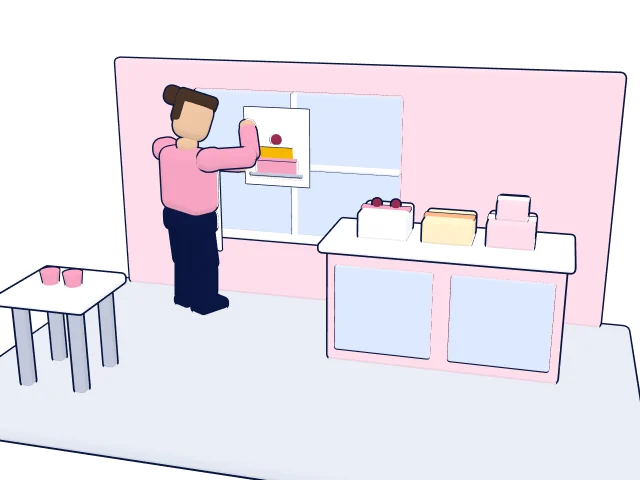
Magda runs a pastry shop and is looking for temporary help for the Christmas season. For the notice in the shop window, she wants a drawn illustration instead of a photo. So that nobody takes it for a photo, she chooses a clear drawing style.
Draw a flat, friendly illustration for a notice in the shop window of a pastry shop.
Motif: a counter with cakes and cookies, behind it an empty spot with an apron on a hook.
Style: clear lines, few colors, clearly drawn, not photo-like.
No lettering in the image, no real people, no logos.
Landscape format.
Magda adds the text “Help wanted” and the contact details on top in her word processor. Under the AI Act, a notice isn’t needed here, because nobody takes the drawing for real.
A visualization for the customer
Ruben is a landscape gardener. He wants to show a customer what their garden could look like with raised beds and a new patio. He uploads a photo of the garden that the customer gave him for this, without people and without a house number. Under the result he writes “Visualization, created with AI, not a photo. Dimensions and plants as per the quote.” That way nobody mistakes the image for a promise.
Six questions before publishing
- Does the image look like a real photo? Then add a clearly visible label.
- Can a real person be recognized? Then only with their consent.
- Does it show a product or a room differently from how it is? Then don’t use it.
- Does it resemble someone else’s work, a character or a logo? Then don’t use it.
- Do the service’s terms allow this use, including for advertising?
- Does the image have alt text for people who can’t see it?
How to practice this
Like a good text, a good image starts with a precise instruction: motif, style, format and what should stay out. Writing such instructions and looking at the result critically is at the core of the learning app “KI können”; you carry them out in your own AI. Whether it suits you, you’ll notice in the trial lesson, which doesn’t require signing up.
Sources
- Regulation (EU) 2024/1689 on artificial intelligence, consolidated version (EUR-Lex) (opens in a new tab)
- European Commission, Guidelines on the transparency obligations under Article 50 (opens in a new tab)
- Federal Network Agency (Bundesnetzagentur), Transparency obligations (in German) (opens in a new tab)
- German Art Copyright Act (Kunsturhebergesetz), Section 22 Right to one’s own image (in German) (opens in a new tab)
- German Art Copyright Act (Kunsturhebergesetz), Section 23 Exceptions (in German) (opens in a new tab)
- German Copyright Act (Urheberrechtsgesetz), Section 2 Protected works (in German) (opens in a new tab)
- German Act against Unfair Competition (UWG), Section 5 Misleading commercial practices (in German) (opens in a new tab)
- OpenAI, Terms of Use (EU) (opens in a new tab)
Information as of November 16, 2026. Laws and offers can change; this article is not legal advice.
Read more
Try it now
The trial lesson with examples for Graphic designer. No account, a few minutes.
Start the trial lesson